Emergency Beacon
Overview
Reference material for Emergency Beacon in WinTAK, sourced from the official WinTAK 5.7 Software User Manual (26 March 2026).
Manual Reference

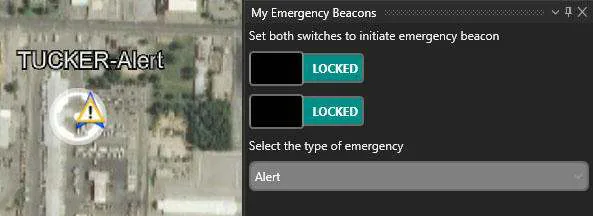
Select the ALERT icon to open the Emergency Beacon Tool.
The Emergency Alert (beacon) allows the user to indicate their location and need for assistance by selecting one of the following: Alert, Ring The Bell, Geo-fence Breached and In Contact.
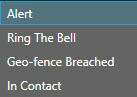
Once the Emergency type has been selected and both switches have been enabled, the TAK Server broadcasts the announcements to all network contacts. Even if the user's device is turned off, the beacon will continue. Only when the user returns to the Emergency Beacon Tool and turns off the switches will the beacon be canceled and removed.
Source
WinTAK Software User Manual, Version 5.7, 26 March 2026, page 34.