CASEVAC
Overview
Reference material for CASEVAC in WinTAK, sourced from the official WinTAK 5.7 Software User Manual (26 March 2026).
Manual Reference
The casualty evacuation (CASEVAC) Tool is used to denote any casualties/injuries in the field. The tool follows Appendix G of the JFIRE 2016 publication and can be used for either CASEVAC or the more restrictive MEDEVAC.

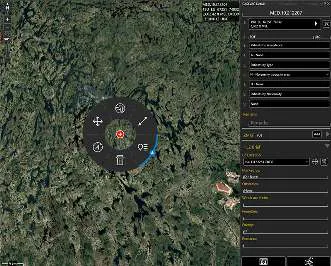
A CASEVAC marker is placed on the map by selecting the CASEVAC icon, then clicking a location on the map. The available options, located on the CASEVAC radial, are: Delete, Polar Coordinate Entry, Fine Adjust, Bloodhound, Range & Bearing Line and Details (with quick send from sub-radial).
Completing the nine lines
When the CASEVAC window is opened, a prompt will appear to fill out the required nine lines of information, the ZMIST (ZAP number, Mechanism of Injury, Injury Sustained, Symptoms and Signs, Treatment Given) report and the Helo Landing Zone (HLZ). Once all the applicable information has been entered, the CASEVAC may be sent or broadcast to available users by selecting Send.
Users can choose to be notified of received CASEVACs by enabling the Settings > Display Preferences > Notify CASEVAC's Received option. When enabled, a toast message is displayed when a CASEVAC is received.
MEDEVAC/CASEVAC Brief
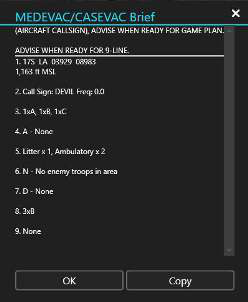
Select the MEDEVAC/CASEVAC Brief icon to display the brief which can then be copied and used elsewhere. Multiple ZMIST reports can be included in one CASEVAC. Select Add next to the initial ZMIST heading and section to add a new ZMIST. Select Delete at the beginning of an individual ZMIST report to remove it.
Source
WinTAK Software User Manual, Version 5.7, 26 March 2026, page 33.