Lasso Tool
Overview
Reference material for the Lasso Tool tool/feature in ATAK, sourced from the official ATAK 5.7 Software User Manual (chapter 19, "Lasso Select").
Manual Reference
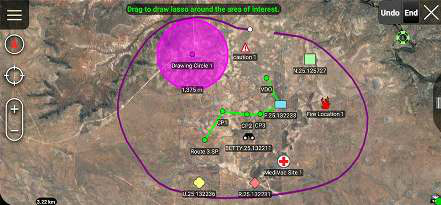
The Lasso Tool provides a way to quickly select items on the map. These items can then be exported and shared with others or deleted. When the tool is launched, onscreen directions are displayed in green, providing instructions how to use the tool.


Draw a circle around the area of interest to display a list of all the map items in the area.
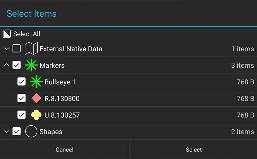
Select the External Native Data box to include the underlying map data in the export. Tap Select when all individual items have been chosen.
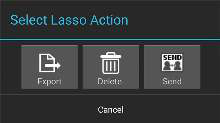
The Select Lasso Action interface provides the option to either Export, Delete, or Send the items.
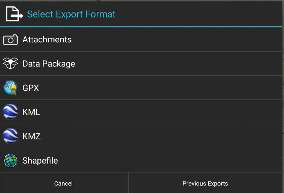
Selecting Export displays the Select Export Format Screen. The available formats are Attachments, Data Package, GPX, KML, KMZ, Shapefile or Video. Choose the desired format or select Previous Exports to view and send previously exported files.
Select Delete and verify by selecting OK on the confirmation screen. This will remove the selected items from the map.
Source
ATAK 5.7 Software User Manual, 13 March 2026 (Unclassified), pages 72–72.