Clear Content
Overview
Reference material for the Clear Content tool/feature in ATAK, sourced from the official ATAK 5.7 Software User Manual (chapter 30, "Clear Content").
Manual Reference
Select the Clear Content icon to remove all ATAK content from the Android device. Note that this action will permanently erase all content.

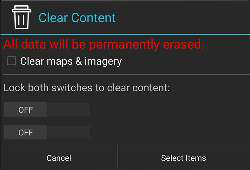
Select the Clear maps & imagery checkbox to clear map and imagery data as well.
Lock both switches by swiping them to the right to activate the Clear Now button. Tap Clear Now to remove all content. ATAK will exit after this action has been completed.
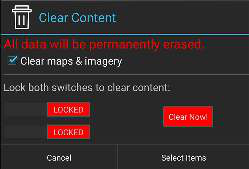
Select specific items to delete by tapping the Select Items button. This will navigate to the Overlay Manager multi-select tool to choose specific items to delete. Tap Cancel to return to the main ATAK interface.
During the deletion process the file data is corrupted, making file recovery nearly impossible.
Source
ATAK 5.7 Software User Manual, 13 March 2026 (Unclassified), pages 91–91.