Installing Android Apps
“Materials in this manual have been reproduced with the permission of Persistent Systems, LLC, Copyright © 2026. References to Wave Relay® are made with the permission of Persistent Systems, LLC, the sole owner of the Wave Relay® registered trademark and Wave Relay® technology, and do not constitute or imply endorsement by the United States Government.”
Overview
How to install an Android app on the MPU5 via the Web Management Interface, sourced from the official MPU5 Basic Operator Manual (Part V: Device Operation).
Manual Reference
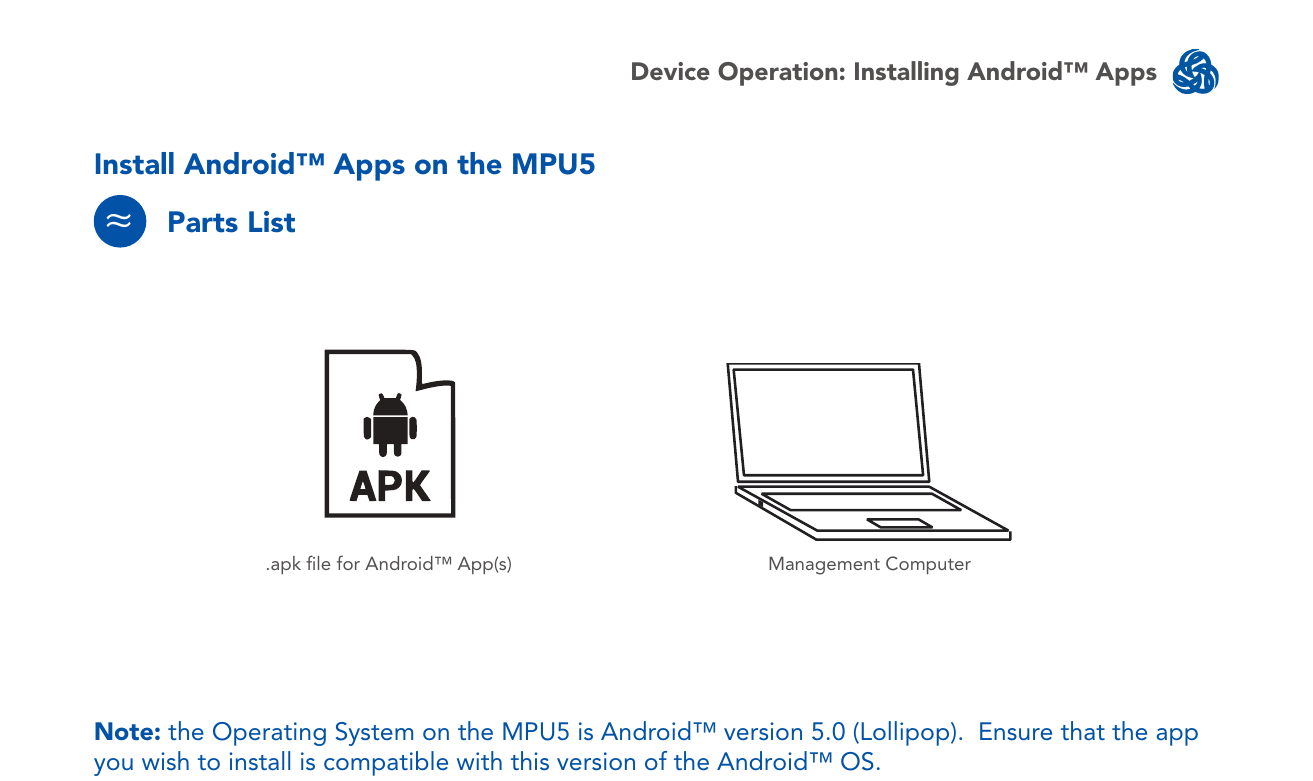
Parts list
.apkfile for the Android app(s) to install- Management Computer
Note: the operating system on the MPU5 is Android version 5.0 (Lollipop). Ensure that the app you wish to install is compatible with this version of the Android OS.
Install an app
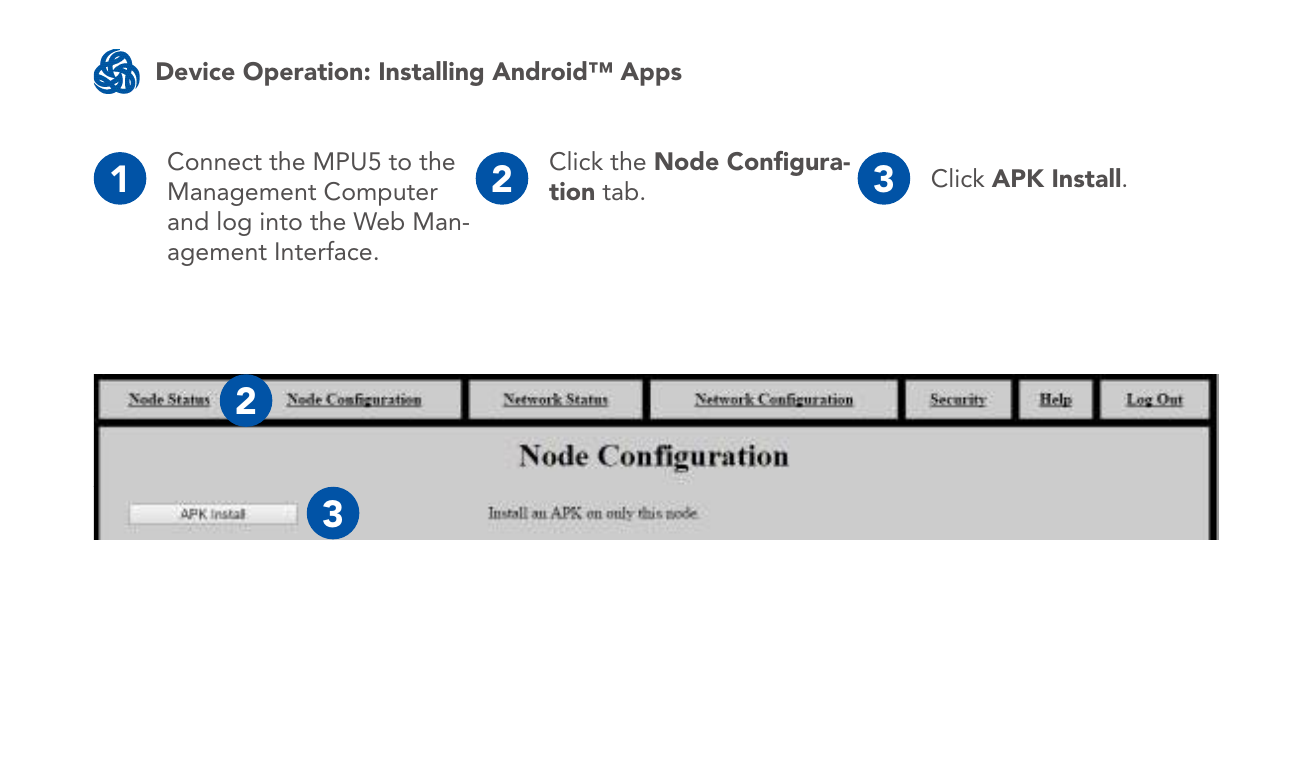
- Connect the MPU5 to the Management Computer and log into the Web Management Interface.
- Click the Node Configuration tab.
- Click APK Install.
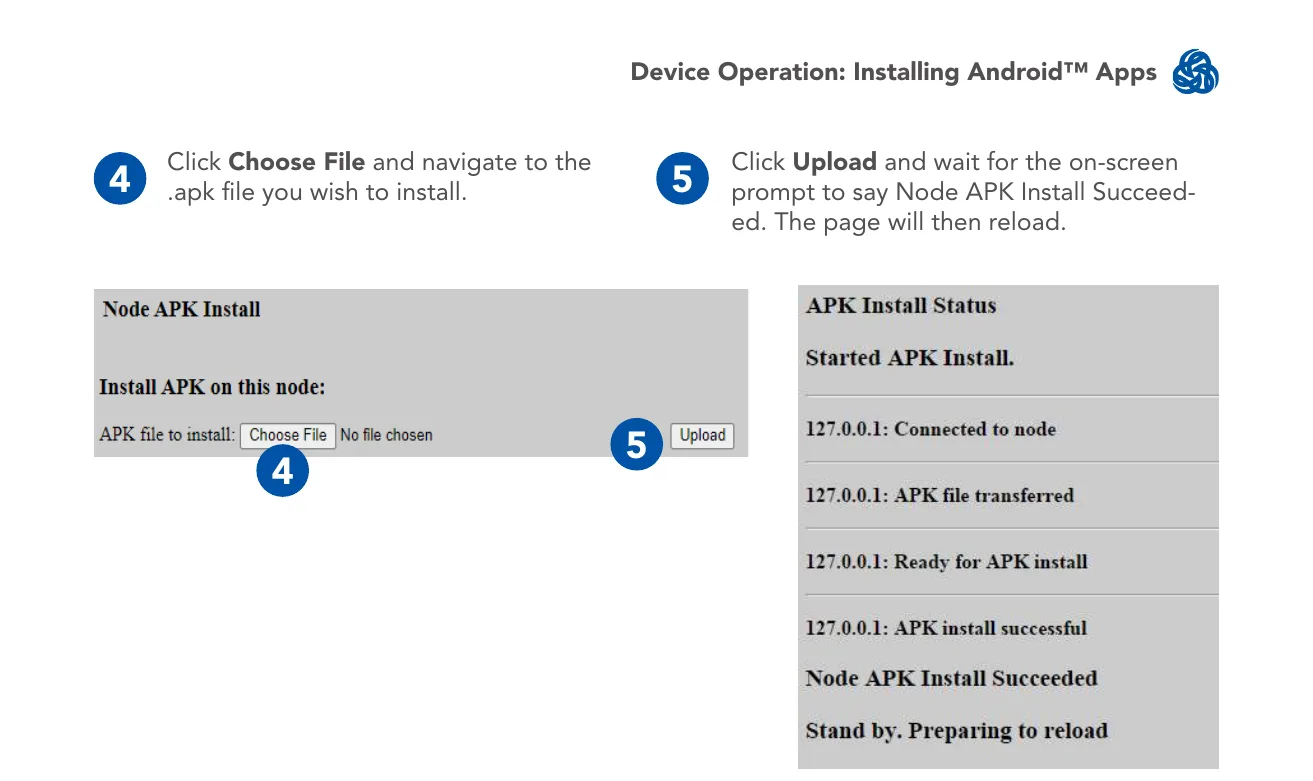
- Click Choose File and navigate to the
.apkfile you wish to install. - Click Upload and wait for the on-screen prompt to say "Node APK Install Succeeded." The page will then reload.
Source
MPU5 (WR-5100) Basic Operator Manual, v3.2, 03EN073 Rev. P — Part V: Device Operation, pages 111–113.