Network Configuration Tab
“Materials in this manual have been reproduced with the permission of Persistent Systems, LLC, Copyright © 2026. References to Wave Relay® are made with the permission of Persistent Systems, LLC, the sole owner of the Wave Relay® registered trademark and Wave Relay® technology, and do not constitute or imply endorsement by the United States Government.”
Overview
An overview of the Network Configuration tab, which lets you perform actions on every node in the Managed Node List at once, sourced from the official MPU5 Basic Operator Manual (Part V: Device Operation).
Manual Reference
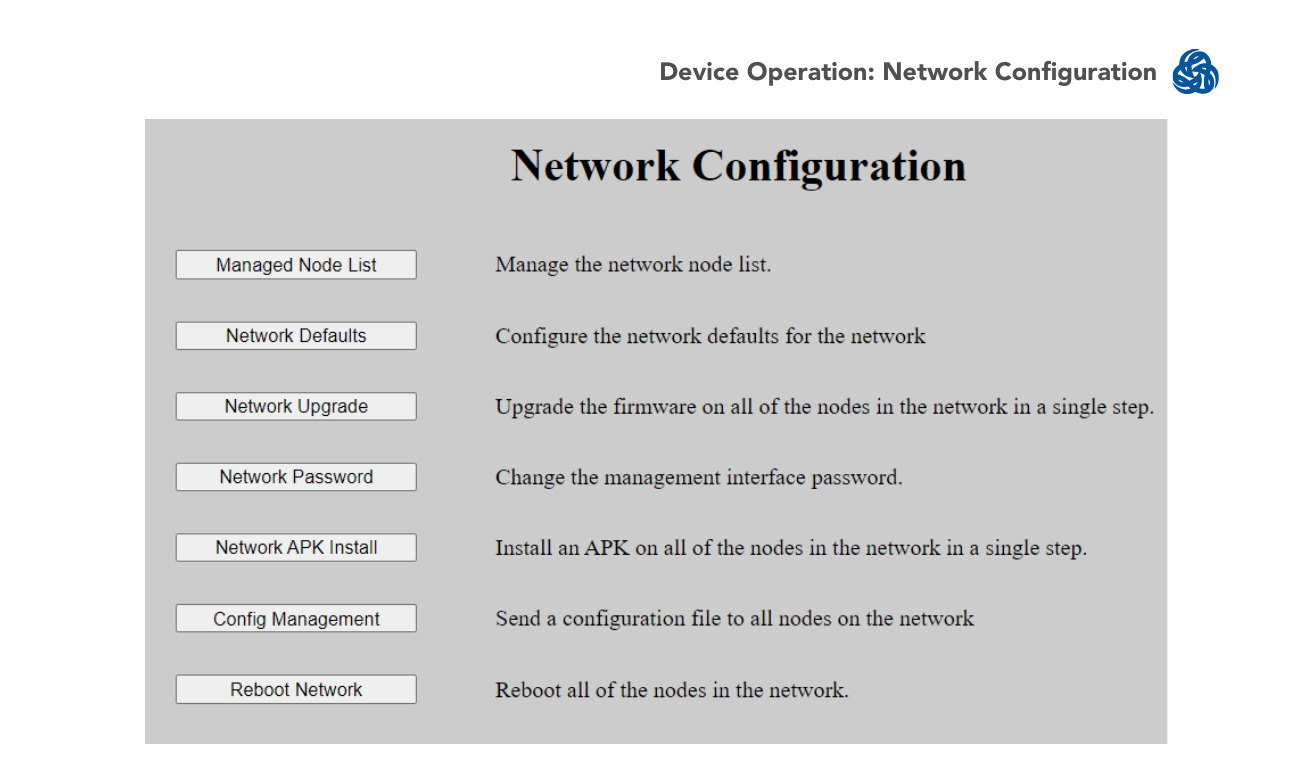
The Network Configuration tab allows you to perform actions on all nodes in the Managed Node List. Each action on this tab is the same as the corresponding action on the Node Configuration tab, just applied network-wide:
- Managed Node List — manage the Managed Node List
- Network Defaults — manage network default settings
- Network Upgrade — upgrade firmware on all nodes in the managed node list
- Network Password — change the Management Password for all nodes in the managed node list
- Network APK Install — install an APK on all nodes in the network
- Config Management — push a config file to all nodes in the network
- Reboot Network — reboot all nodes in the network
An On Error/Dropout switch controls behavior when an error occurs during a network-wide action:
- Continue Install — skips the node with the error and continues installation on the rest of the node list.
- Halt Install — stops installation when an error occurs.
Source
MPU5 (WR-5100) Basic Operator Manual, v3.2, 03EN073 Rev. P — Part V: Device Operation, pages 114–115.